401(k) Summer School: Changing Investments for Existing Money is Different from Changing Investments for New Money
Hi Friendos,
In today’s installment of 401k summer school, we’re getting into some logistics of managing your account.
Lesson 4: Changing the investments of existing money in the account is different from changing the investments for new money you add to the account later.
Let me explain what I mean specifically with an example. Imagine you started putting $1,000 a month into your 401k and it’s been 10 months since you started that. You had half the money going into a mutual fund for “growth” stocks and half going into a mutual fund for “value” stocks. You weren’t 100% sure what that meant, but your senior colleague said their financial advisor had them make those selections, so you decided to follow that advice. Now your account balance is at $10,960 and you’re feeling pretty proud of feathering your nest egg.
Still, you’ve been working to learn more about personal finance, and you read this fun article about target date funds. You’re convinced and decide to see if there’s a suitable target date fund available in your own 401k, and there is! So you decide to switch your $10,960 into a target date fund. You log in to your 401k online account and go through all the steps for this transaction to “exchange” your current mutual shares for shares of the target date fund. Job done.
Except…a month later you get an email saying your 401k quarterly account statement is available for viewing, and you see that now your account balance shows $10,985 of the target date fund, $503 of the mutual fund for growth stocks, and $487 of the mutual fund for value stocks. Why??? Because you never changed instructions for how to invest new money flowing into your 401k account with each paycheck.
Instructions for how to invest the new money flowing into the account are separate from giving an instruction to change up how the pool of existing money is invested. If you want to change all of it, you need to give instructions for both. Here’s an image from Fidelity that illustrates:
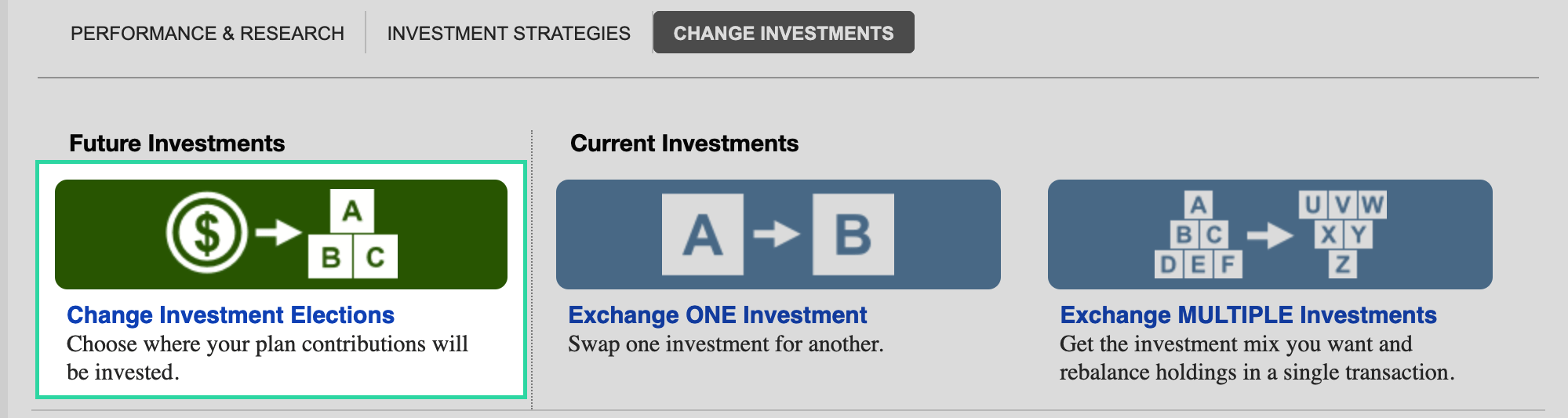
As you can see, choosing where your plan contributions will be invested (on the left) relates to future investments, while swapping one investment for another (in the middle and on the right) relates to current investments. The Fidelity retirement plan website has separate transaction pathways for each one.
That’s it for today’s lesson! In summary, if you want to change existing and future investments in your 401k, you have to take separate actions for each of those things.
-Stephanie

